How to automate your data actions through Data Activator

summary
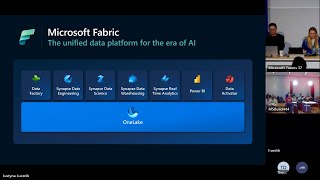
Microsoft Fabric’s Data Activator is a no-code experience that monitors Power BI visuals or live event streams and triggers actions when thresholds hit (demo uses a >600 reviews rule and “n times within Y minutes”). It sends email/Teams or launches a Power Automate flow via a connection string to rerun pipelines, kick off retention, or call APIs. It also creates event hubs for event stream / IoT monitoring, shows live sample-data triggers in the demo, and evaluates the visual’s value on each refresh or incoming event.
AI-written summary · about
chapters (10)
- 0:00Data Activator in Fabric
- 1:11What is Data Activator
- 3:40Demo setup in Fabric
- 6:52Alerts for Power BI measures
- 9:01Custom actions with Power Automate
- 11:34Monitoring event streams
- 13:49Testing with sample data
- 15:37Data governance with Data Activator
- 17:04Use cases for Data Activator
- 17:47Q&A
related talks
 26mTransform productivity with AI experiences in Microsoft Fabric
 27mModernize your data integration to enable petabyte scale analytics with Microsoft Fabric
 19mAccelerate your data potential with Fabric
 50mMicrosoft Fabric Data Factory Q&A
 12mThe mechanics of Real-Time Intelligence in Microsoft Fabric
 22mModels to outcomes with end-to-end data science workflows in Fabric
 47mData analytics for the era of AI
 42mReimagine Real-Time Intelligence with Microsoft Fabric