Decide on the fly: Real-Time Analytics in Microsoft Fabric

summary
Live demo of Microsoft Fabric wires Event Hubs to OneLake or a KQL database and builds semantic models that power Power BI dashboards with seconds‑level freshness. The team shows a Forms → Event Hub → Lakehouse → semantic model flow using Direct Lake mode (no duplicate imports) and a script → event stream → KQL DB → query set flow with Direct Query, plus a Data Activator rule that emails when a flight price drops below $50 or falls 50% — alerts fire in the demo. Notes about service limitations and fallback to Power BI Desktop are included.
AI-written summary · about
chapters (19)
- 0:00Real-time analytics in Fabric
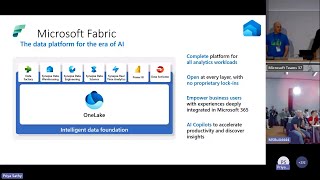
- 1:15What is Microsoft Fabric
- 3:43Real-time analytics value
- 6:10Real-time solutions options
- 7:38Fabric real-time components
- 8:46Data Activator intro
- 9:48Demo setup & architecture
- 12:19Semantic model with Direct Lake
- 15:58Report refresh settings
- 22:11Demo: Flight price analytics
- 23:38Event stream config
- 26:52Query & transform KQL data
- 29:24KQL query sets
- 30:11Power BI report on KQL
- 31:15Modeling in Power BI Desktop
- 33:02Alerts with Data Activator
- 36:55Key takeaways & scalability
- 38:18Limitations & future improvements
- 39:01Closing remarks
related talks
 26mReal Time analytics - Sense analyze generate insights with Fabric
 47mData analytics for the era of AI
 50mFabric: What's new and what's next
 42mReimagine Real-Time Intelligence with Microsoft Fabric
 44mUnify your data with OneLake and Microsoft Fabric
 19mAccelerate your data potential with Fabric
 46mMicrosoft Fabric Synapse data warehouse Q&A
 12mThe mechanics of Real-Time Intelligence in Microsoft Fabric