Flight Plan for Data Security: Safeguarding your Dataset with Dynamic Object-Level Security

summary
PowerShell scripts use the Fabric REST API (via the fabric ps pbip module) to export dataset model files, edit the model.bim JSON to add roles and per-table/column permissions, and re-import to Power BI Service; a Jenkins pipeline and Bitbucket store the files and an Azure SQL table holds role/permission metadata. The demo creates roles, changes three column permissions, syncs schema by adding a test column, and publishes successfully — a working dynamic object-level security and model.bim manipulation prototype.
AI-written summary · about
chapters (11)
- 0:00Data security with DOLS
- 6:31Security architecture overview
- 7:34PowerShell basics for model metadata
- 9:49Fabric API for dataset manipulation
- 15:49Object-level security from table metadata
- 20:29Column permissions via PowerShell
- 27:18Testing object-level security in Power BI
- 30:29Schema updates from database metadata
- 37:38Schema sync and object security
- 38:22Future tools and resources
- 40:29Q&A
related talks
 30mEmpower every BI professional to do more with Fabric
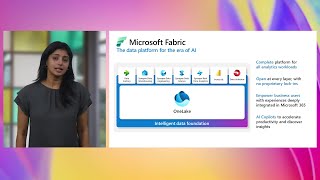 30mSecure govern and manage your data at scale in Fabric
 49mThe Power BI secret sauce: Security and governance
 19mPushing Your Power BI Potential: A Comprehensive Health Check for Improved Performance and Security
 43mKeeping up with your Power BI Tenant Administration
 18mPushing Your Power BI Potential: A Comprehensive Health Check for Improved Performance and Security
 20mRevolutionize reports with Fabric Copilot and Power BI
 45mPower BI Universe - Mapping the hive