Pimp your UI - Using effects, transitions, etc.
summary
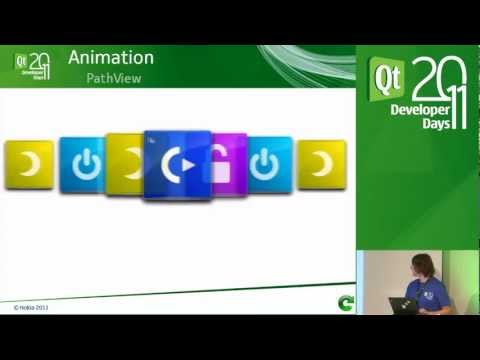
Shows how to enhance Qt Quick 1 QML by animating actual properties: an image fades out, propertyAction swaps the source, then fades in; rotation uses a behavior on property changes so repeated clicks accelerate a spun wheel; multiple images from a repeater fake motion blur; color tiles use a color animation via Behavior on color; GridView and PathView run add/remove transitions and animate path control points; particles emit toward the mouse and can burst for highlights.
AI-written summary · about
chapters (13)
- 0:00Introduction
- 1:08Agenda
- 1:43Goal
- 3:31Animations
- 4:37Fade
- 10:17Rotation
- 16:25Motion Blur
- 20:50Layering
- 25:34ListView
- 30:24GridView
- 38:00PathView
- 43:35Particles
- 47:10QA
related talks
 01h 08mMeet Qt Quick
 01h 22mQt Quick - Introduction to Qt Quick (part 1/4)
 01h 29mQt Quick - Animations and Visual Effects (part 3/4)
 41mA Moving Experience
 07m5 quick animations to make your Compose app stand out
 32mAnimations Should Be Fun
 27mAnimate All the Things! (With View Transitions API)
 01h 12mQt/3D QML Scripting for UI Designers and Hackers