Accessible Forms: It's Not as Difficult as You Think

summary
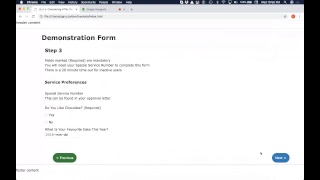
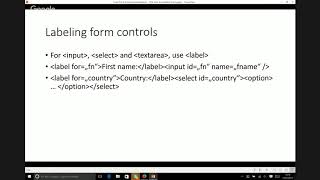
Accessible forms rely on concrete choices: use a real <form> so Enter submits and keyboard users work, add HTML5 required to stop submission while also providing aria-required, prefer explicit <label for=> pairs over wrapping, use aria-labelledby/aria-describedby for search landmarks and instructions, and group radios/checkboxes with <fieldset> and <legend>. Demonstrations use VoiceOver, a Color Oracle simulator and the WebAIM color contrast checker. Notes: 15% of people (≈1 billion) and $6.9 trillion market, contrast targets 4.5:1/3:1/7:1/4.5:1.
AI-written summary · about
chapters (8)
- 0:00Introduction to accessibility
- 2:49Form structure basics
- 8:53Content placement and focus
- 12:45Color contrast standards
- 16:18Labels and attributes
- 22:24Instructions and placeholders
- 25:37Input types and mobile
- 30:44Resources and closing