Unity iPhone
summary
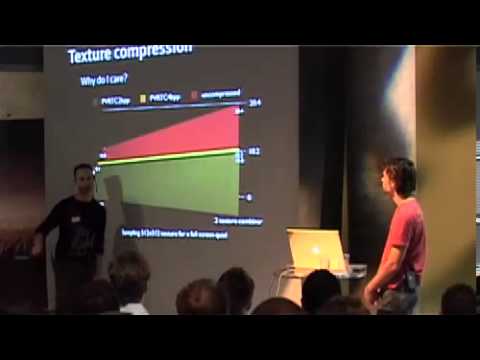
Unity for iPhone ships with AOT Mono so C# compiles to native code, and a Unity Remote app streams multi‑touch and accelerometer input and a live game view over Wi‑Fi to speed iteration. One‑click builds produce an Xcode project; executable size falls to about 4–5 MB today via bytecode stripping and a reduced mscorlib. PVRTC texture compression, generated occlusion culling, no pixel shaders (use two‑texture combiners), skinning on CPU, and a guideline of ~10,000 verts/frame for ~30 FPS are detailed.
AI-written summary · about
chapters (16)
- 0:00Unity for iPhone intro
- 1:51iPhone dev challenges
- 2:59Ahead-of-time compilation with Mono
- 3:42Unity Remote faster iteration
- 4:47One-click iPhone publish
- 5:31Scripting & GUI on iPhone
- 7:20PowerVR texture compression
- 8:23Occlusion culling for perf
- 11:12Optimize download size
- 12:15iPhone scripting interface
- 13:38Demo: occlusion culling & Unity Remote
- 20:26Project setup from scratch
- 23:27Future iPhone optimizations
- 25:59iPhone GPU architecture
- 35:14iPhone perf tips
- 39:14Q&A
related talks
 01h 04mOptimizing for Unity iPhone 1 5
 49mUnity visionOS Development: A Comprehensive Guide
 01h 01mBringing Star Wars to the iPhone
 48mARK on iOS: Leveraging UE4 for 98% Content Reduction
 56mUnity for the enterprise developer
 36mARK on iOS: Coding and Design Tips
 44mOptimizing a Unity Game from PC to iOS in 3 Simple Steps and 17 Complex Ones
 29mWhat's new for Unity developers on macOS