Introducing API for GraphQL and User Data Functions in Microsoft Fabric

summary
Microsoft Fabric now exposes an API-for-GraphQL in public preview that serves data from warehouses, lakehouses and mirrored databases (SQL, Cosmos, Snowflake) with one API call across warehouses, auto-discovered schemas, relationships for joins, views and stored-procedure queries exposed as GraphQL queries/mutations, and Entra ID passthrough auth; plus a private-preview User Data Functions item that runs Python/C# code, integrates with pipelines, supports dependencies and has a VS Code local debug and publish loop for deploying functions back to Fabric.
AI-written summary · about
chapters (26)
- 0:00Welcome
- 1:17Agenda and new Fabric features
- 2:20Contoso Outdoors scenario
- 3:01Portal data challenge with GraphQL
- 4:46What is GraphQL and why use it
- 5:54GraphQL API in public preview
- 7:18Creating and testing GraphQL API
- 9:03Joining data with relationships
- 10:34Integrating GraphQL with React portal
- 12:20Views and stored procedures in GraphQL
- 14:31Multiple data sources in one query
- 15:57Authentication and security
- 17:01Updating data with mutations
- 18:29Key takeaways from demo
- 20:14User data functions for analytics
- 21:21Integration with Fabric
- 22:26User data functions sneak peek
- 24:17Creating simple user data function
- 25:22Building complex user data function
- 27:30Debugging functions with VS Code
- 29:19Invoking functions from pipelines
- 30:46Displaying projections in portal
- 31:33Functions availability and languages
- 33:15Fabric extension for VS Code
- 35:01Resources and closing
- 36:27Q&A
related talks
 27mModernize your data integration to enable petabyte scale analytics with Microsoft Fabric
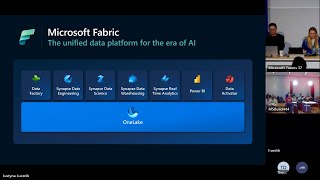 50mMicrosoft Fabric Data Factory Q&A
 19mAccelerate your data potential with Fabric
 51mOne dataset and three use cases with Microsoft Fabric
 47mData Mesh vs Data Fabric - in Microsoft Fabric
 49mYour first flight with Data Factory in Microsoft Fabric
 51mA Deep Dive into Microsoft Fabric Data Warehouse
 38mGraphQL: New services and tools for building API-driven apps