What's new for Developers on Windows to enhance Developer Productivity

summary
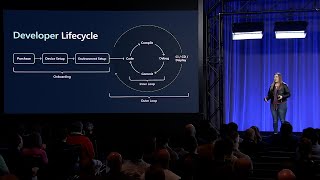
Dev Home consolidates Terminal, WSL, WinGX, PowerToys and Dev Drive into a single hub and adds declarative dev environments using WinGX DSCs to launch WSL, Azure Dev Box, Hyper‑V or Sandbox instances. A new Windows customization UI and Dev Drive insights tune ReFS performance; block cloning cuts a 10 GB VHDX copy from ~13 seconds to ~0.1 seconds. An advanced paste PowerToy uses open source AI to convert XML→JSON, screenshots→markdown tables and audio→transcripts. Community prioritizes issues by thumbs up; join feedback at aka.ms/e4dchat and updates at aka.ms/wingdevblog.
AI-written summary · about
chapters (9)
- 0:00Windows developer tools intro
- 1:15Open source in Windows tools
- 1:57Dev Home hub
- 4:24Dev Drive benefits
- 6:10AI PowerToys
- 7:57Community feedback
- 8:38Tool builders
- 9:20Engage with team
- 10:23Closing resources
related talks
 44mNew developer experiences in Windows
 44mDeveloper joy with Scott Hanselman and friends
 19mBeyond the Myth: Develop Comfortably on Windows
 01mIntroducing Dev Home
 01h 09mElevating Developer Experience with AI-Powered Microsoft Dev Box
 14mInterview of Julien Dubois
 45mDevelop in the cloud with Microsoft Dev Box
 44mAdvanced developer tips and tricks in Visual Studio