Building Adaptive Card-based Loop components for Microsoft 365
summary
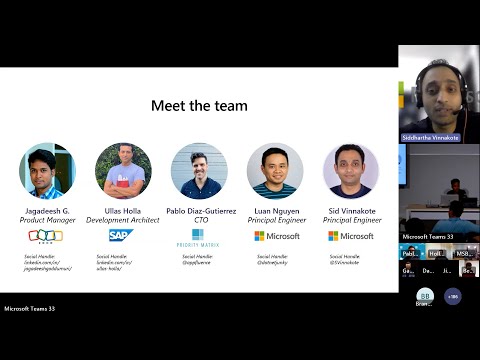
Adaptive Card–based Loop components go live-preview soon and show concrete wiring: use Teams Toolkit (VS Code) or Teams FX CLI + Bot Framework SDK to host a message-extension webserver, declare unfurl domains in the manifest, and emit Adaptive Cards using Adaptive Cards 1.6 with a metadata webURL per instance. Cards AutoRefresh live data, handle actions via the activity handler, and paste/port between Teams and Outlook; partners (Zoho, SAP, Priority Matrix) report reduced context switching and working, syncable components; charts and richer theming are on the roadmap.
AI-written summary · about
chapters (18)
- 0:00Introduction
- 9:51Building Adaptive Cardbased Loop components
- 12:48Demo
- 19:48Priority Metrics
- 26:38HighLevel Advice
- 28:58Questions
- 29:48Verification
- 30:53Security
- 32:38Question in the room
- 34:18More customization in the future
- 35:13Can partners build their own Adaptive Cards
- 36:03Integration with Dynamics 365 workflows
- 36:33Questions from the room
- 37:38How to save application called from Adaptive Cards and confirmation from SAP
- 38:23How can I access SAP from a loopbased Adaptive Card
- 39:28Wrap up
- 40:08Connect authentication flow
- 41:23Custom branding
related talks
 19mEnhance Engineering Team efficiency with Loop and Copilot
 50mAdaptive Cards in Office 365 processes
 22mLive Q&A – Karuana Gatimu
 17mDeveloping for extensibility with Miro and Microsoft 365
 53mThe Latest in Microsoft Teams
 07mOffice 365 Connectors (Developer Preview)
 45mReach 320M+ users in flow of work building your own copilot for Teams
 02mAccelerate add-on and chat bot development with the Card Builder tool