A Comprehensive Guide to Setting Up and Using Git...

summary
Shows that Git ships with 153 git commands but the session narrows focus to about two dozen and walks through real tools and steps: installing via winget/choco, running git config core.editor=notepad, using posh-git and GitKraken for status and graphs, demoing init/add/commit/log/diff/reset/stash/clean/remote/push/clone/fetch and advanced bits like reflog, bisect and cherry‑pick. A live Summit demo repo pushed to GitHub endures demo glitches but ultimately clones and syncs, proving the workflow and the gotchas.
AI-written summary · about
chapters (13)
- 0:00Introduction
- 11:38Version control basics
- 21:54Version control history
- 29:49Why learn Git
- 35:55CLI vs GUI for Git
- 41:22Installing Git
- 57:31Basic Git commands
- 1:30:46Commit messages
- 1:42:04Git log and history
- 2:03:42Stashing and conflicts
- 2:18:37Remote repositories
- 2:36:13Adding remotes and push
- 2:51:19Advanced Git tips
related talks
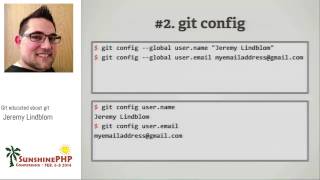 59mGit educated about git
 28mHow to Really Get Git
 24mSo you think you know GitAdvanced Git Tips and Tricks
 01h 22mGit-ting along with others
 25mUnderstanding git - even the scary parts
 01h 33mTutorial: Take Control of Git: Beyond the Basics
 26mGit in Control, Version Control and How it Could save Your Life
 04mGit Basics for a Non-Technical Audience