How to Tame the Event Log Beast

summary
Claims that XML is the real filter for Windows events and shows how to generate XPath queries, convert Get-WinEvent output to XML, and extract fields for triggers. Explains Windows Event Collector vs source pull, why source-initiated forwarding is preferred, Group Policy and permissions needed, and how scheduled-task event triggers run PowerShell with event values. Demonstrates suppressing noisy events to cut Splunk ingress costs, references community modules (subscriber by Fred) for creating subscriptions, and a running example: AD lockout detection that emails service desk.
AI-written summary · about
chapters (8)
- 0:00Introduction
- 3:20XML in event logs
- 7:36Scaling with collectors
- 14:41Centralized collection benefits
- 24:08Event log triggers
- 33:02Extracting data
- 38:16Key lessons
- 42:06Q&A
related talks
 41mWhat the Log?! So Many Events, so Little Time...
 47mEvent-Driven Automation with PowerShell: Listening for Change, Acting in Real Time
 57mSecuring PowerShell: Hands-On Lab
 45mWatch the Gaps: Detecting (and Fixing!) Overlooked Windows Event Log Misses
 43mAdvanced PowerShell Eventing Scripting Techniques
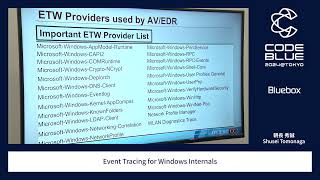 44mEvent Tracing for Windows Internals
 01h 15mMonitoring: Turning Noise into Signal
 32mSysmon Deep Dive: Real Detection Scenarios You Can Reproduce