Patch My PC PSAppDeploy Toolkit

summary
Patch My PC shows PSAppDeploy Toolkit as an opinionated PowerShell framework that turns a dropped MSI or EXE into a managed deployment with zero-config drop-in behavior, CMTrace-style logging and UI prompts, deferrals and app‑closing logic. The catalog covers ~1,400–1,500 apps and teams report use at scale (customers with 800k and 1.3M endpoints). V4 moves toward a module, requires .NET 8 and modern Windows, adds a Windows 11 Fluent UI and dark mode, and preserves V3 compatibility while adding new functions.
AI-written summary · about
chapters (10)
- 0:00PSAppDeploy Toolkit intro
- 1:07App packaging challenges
- 4:22Painful packaging history
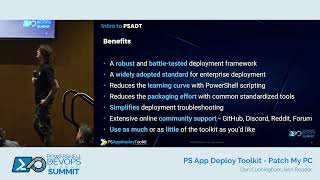
- 15:27PSAppDeploy Toolkit benefits
- 22:05Toolkit features and support
- 24:35Zero-config deployment demo
- 27:04Master Packager demo
- 34:56PSAppDeploy v4 new features
- 40:46v4 compatibility and future
- 44:00v4 UI and timeline
related talks
 31mPS App Deplay Toolkit - Patch My PC
 47mDeploying software and scripts using ...
 37mFoolproofing the Final Mile: Say Goodbye to the Messy Handoff Between...
 46mPowerShell as an MCP Tooling Host: Using MCPServerPS to Supercharge AI-Assisted...
 51mPowerShell module toolbox and templates for Continuous Delivery
 30mSoftware Patching Needn't Be a Can of Worms
 23mPatch Happens: How Chocolatey for Business Benefits Organizations
 47mOS Deployments useing WinPE + PowerShell and WindowsImageTools