How to Really Get Git

summary
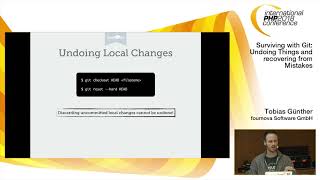
Covers concrete workflows: configuring git with aliases, colorized status and tab completion, and making PS1 show branch; four confusing undo tools explained with examples: git rebase -i to reorder and squash commits and how to resolve rebase conflicts step by step, git reset --hard and when it permanently loses uncommitted work, git reflog to find lost commits and restore branches, and git revert for single-commit undos; demonstrates automating branch deletion and fetch+rebase across projects using an IPython notebook and notes its CLI limitations.
AI-written summary · about
chapters (36)
- 0:00Introduction
- 0:58Learning Git
- 1:27Get aliases
- 2:04Autocompletion
- 2:34Bash Prompt
- 3:50Review
- 4:31Collaboration
- 5:14Mistakes
- 6:11Decision Tree
- 6:49Git Rebase
- 8:50Poll
- 9:39Rebase
- 9:56Feature Branch
- 12:49Rebase Conflict
- 13:24Fix Rebase Conflict
- 14:28Git Rebase interactive
- 15:09Squash Rebase
- 15:32Git Rebase Dash
- 16:40Git Reset
- 17:08Git Undo
- 17:35Git Resets
- 17:53Git Reset Hard
- 19:53Roughlock Flags
- 20:24Reset Hard
- 20:45Commit
- 21:03Undo
- 21:47Revert
- 22:40Revert Complex
- 23:09Reset vs Revert
- 24:34Git Force Push
- 25:10Summary
- 25:26Questions
- 26:12Routines
- 26:26IPython Notebook
- 27:23Notebook
- 27:35Notebook Scrap
related talks
 25mUnderstanding git - even the scary parts
 39mGetting out of trouble by understanding Git
 43mGit stories from the front line
 35mThe Git you don't know
 40mAdvanced Git Magic
 22mEssential Git Fu for tech writers
 43mGit: Undoing Things and recovering from Mistakes
 56mKnowledge is Power: Getting out of Trouble by Understanding Git