How to Teach Git

summary
Concrete checklist for beginners: start with the problem git solves and teach the local workflow with status add commit cycles, always use -m so editors don't block people, and show git log between commit and push to separate commit from remote actions. Teach git diff and merge conflicts on day one with an intentional conflict example, favor the command line over GitHub UI, skip rebase/head/graph theory initially, and require git installed and paired machines for hands‑on practice.
AI-written summary · about
chapters (31)
- 0:00Intro
- 1:34Explanation
- 3:12Things to keep in mind
- 3:57Teach incantations
- 6:01Metaphors
- 7:05Local Workflow
- 8:00Staging Area
- 9:53Status
- 11:13GetIncantation
- 12:47Commit
- 14:27Git Commit
- 15:44Commit and Push
- 16:46Git Log
- 19:18Rant
- 22:12Github
- 26:44Git fetch
- 27:38Git ticket box
- 28:02Git clone
- 28:14SSH vs HTTP
- 28:46What they need to know
- 29:27Branching
- 30:10Parent
- 31:34Branches are subfolders
- 33:27Git merge
- 34:51History
- 36:13Hat
- 36:56History is immutable
- 37:16Its okay to lie
- 37:46Trust history
- 38:52General tips
- 41:05Summary
related talks
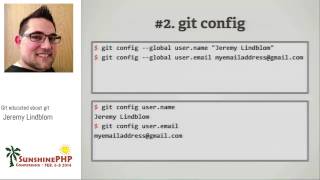 59mGit educated about git
 01h 08mHow Effective Teams Use Git
 01h 22mGit-ting along with others
 26mGit in Control, Version Control and How it Could save Your Life
 20mFundamentals of Git
 19m20 mins to git comfortable
 01h 33mTutorial: Take Control of Git: Beyond the Basics
 02h 57mA Comprehensive Guide to Setting Up and Using Git...