From Hell to Heaven: Porting Doom to MAUI

summary
A WPF Doom engine is ported to .NET MAUI and results in a fully playable build on Windows and Android using shared C# core code, but requires concrete fixes: file access moves into MAUI with an IStreamProvider for WAD files, graphics replace WPF WriteableBitmap with SkiaSharp and a performance-critical unsafe pixel copy to remove stutter, virtual touch and hardware key input use custom handlers/behaviors, and audio uses Fmod; the game runs and colors are corrected on Android.
AI-written summary · about
chapters (14)
- 0:00Introduction
- 3:24.NET MAUI architecture
- 7:26MAUI project setup
- 11:28File system access in MAUI vs WPF
- 15:48Replacing WPF’s WriteableBitmap with SkiaSharp
- 21:32UI thread dispatching
- 24:12Custom touch controls
- 30:49Loading WAD files
- 33:10Performance with unsafe code
- 37:26Android color inversion fix
- 41:31Keyboard controls
- 48:30Keyboard input via behaviors
- 52:41Key takeaways
- 54:26Q&A
related talks
 56mFrom Hell to Heaven: Porting Doom to MAUI
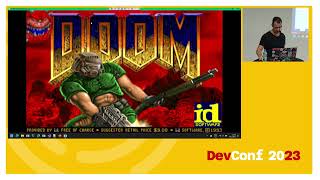 46mFrom Hell tp Heaven: Porting Doom to MAUI
 29mHow I Ported Doom to the Browser with WebAssembly
 33mRun your favorite games everywhere with WASM: the BlazorDoom use case
 53mSafety first! Low-level C# without the unsafe keyword
 53mSafety first! Low-level C# without the unsafe keyword
 01h 04mFallacies of Doom - Lessons learned from porting Doom 3 to Java
 57mCross-platform development with .NET MAUI