Use your source code to document your application

summary
Uses Roslyn to parse syntax trees and semantic symbols, discovers that the visitor API has over 240 visit methods and Console.WriteLine has about 14–18 overloads, and builds an analyzer that emits a JSON intermediate describing types, fields, commands, handlers and event flows. A separate renderer turns that JSON into PlantUML, Mermaid, Markdown or AsciiDoc diagrams, traces command→event side effects, flags a missing command handler, and avoids repeated 30–60s analyses by decoupling analysis from rendering.
AI-written summary · about
chapters (32)
- 0:00Introduction
- 2:38Goals and agenda
- 3:21Why docs matter
- 6:09Source code as docs
- 9:20Doc generation tools
- 11:34Living documentation benefits
- 14:07Roslyn and syntax trees
- 16:35Demo inspecting source
- 18:51Querying syntax trees
- 22:23Semantic models in Roslyn
- 26:00Syntax walkers and visitor
- 27:24Collecting using statements
- 29:25Workspace and MSBuild
- 32:02Docs for different audiences
- 33:12Output formats
- 34:37Diagrams with Mermaid
- 35:19Custom analyzer tool
- 37:31Analyzing workshop solution
- 38:13Inspecting events and commands
- 41:05Documenting command handlers
- 44:44Tracing side effects
- 47:46Markdown from code
- 49:00Visualizing service interactions
- 51:15Documenting aggregates
- 52:45Branching logic and state machines
- 54:10Long-running processes
- 55:35Reusing event docs
- 56:35API behavior with OpenAPI
- 57:153D and spatial docs
- 58:01Java analyzer extension
- 59:06Keeping docs up to date
- 59:27Living Documentation renamed
related talks
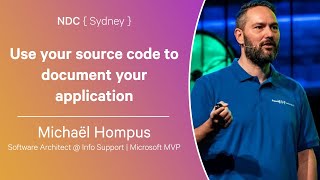 01h 02mUse your source code to document your application
 01h 00mUse your source code to document your application
 01h 08mAnalyzing source code using Roslyn
 01h 01mWriting Code with Code: Getting Started with the Roslyn APIs
 01h 00mAutomate Yourself Out of a Job with Roslyn
 01h 16mAutomate yourself out of a job with Roslyn
 59mC# Source Generators - Write code that writes code
 50mAnalyzing Code in .NET