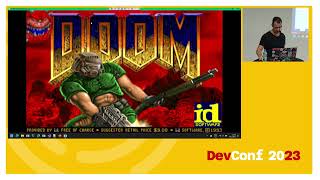
From Hell to Heaven: Porting Doom to MAUI

summary
A .NET WPF Doom port is adapted to .NET MAUI by reusing the core engine, packaging the WAD into the app container and swapping WritableBitmap for SKBitmap via SkiaSharp and SkiaSharp.Views.Maui.Controls. Index‑8 palette frames get converted to RGBA in managed code then rewritten with unsafe pointers for a large speedup; Android required a per‑platform red/blue channel swap. Touch input uses handler mappers for virtual buttons and a visual‑tree keyboard hook delivers hardware keys; result is a fully playable cross‑platform build.
AI-written summary · about
chapters (14)
- 0:00Introduction
- 3:56.NET MAUI overview
- 7:05Migrating Doom WPF project
- 11:23MAUI project setup
- 13:57Migrating view models
- 15:44SkiaSharp graphics
- 22:51Mobile file system access
- 27:08Doom engine initialization
- 31:58Graphics rendering fix
- 34:06Performance optimization
- 38:28Color differences handling
- 39:55Touch controls
- 48:40Keyboard support
- 53:39Key takeaways and closing thoughts
related talks
 56mFrom Hell to Heaven: Porting Doom to MAUI
 46mFrom Hell tp Heaven: Porting Doom to MAUI
 29mHow I Ported Doom to the Browser with WebAssembly
 33mRun your favorite games everywhere with WASM: the BlazorDoom use case
 53mSafety first! Low-level C# without the unsafe keyword
 53mSafety first! Low-level C# without the unsafe keyword
 58mThe Future in .NET MAUI
 57mCross-platform development with .NET MAUI