The Power of Dev Containers and GitHub Codespaces

summary
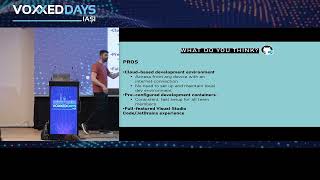
Live demos show Dev Containers + GitHub Codespaces reproducibly spin up full dev environments from a repo in minutes (first pull 3–5 min, subsequent launches nearly instant), with templates and configurable postCreate hooks, features like terraform / Azure CLI / GitHub CLI, dotfiles and secrets support, and port forwarding to share running apps. Codespaces runs Linux x64 in the cloud with 2–32 cores and up to 64 GB RAM, includes about 60 free minutes for personal accounts, and notes: Windows line endings and WSL workflows affect performance.
AI-written summary · about
chapters (12)
- 0:00Introduction
- 3:19Dev Containers solve problems
- 7:56Optimizing with Dev Containers
- 12:14Building from templates
- 17:28GitHub Codespaces
- 21:27Live demo of Codespaces
- 29:18VS Code connection
- 35:23Advanced configurations
- 43:42Customizing features
- 46:57Real-world adoption
- 51:01Troubleshooting tips
- 51:43Q&A
related talks
 01h 14mThe Power of Dev Containers and GitHub Codespaces
 01h 01mDevelop in the cloud with dev containers and GitHub Codespaces
 08mCoding in the Cloud with GitHub Codespaces
 49mUnderstanding cloud powered development environments
 58mCoding in the Cloud with GitHub Codespaces
 51mCoding in the Cloud with GitHub Codespaces
 47mFuture-Proof Development with GitHub Codespaces, Copilot, and GPT-4
 26mDevelop from Anywhere with GitHub Codespaces