Coding in the Cloud with GitHub Codespaces

summary
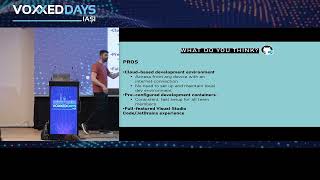
GitHub Codespaces launches full VMs from a repo with a reproducible devcontainer.json that auto-installs extensions and tools; machine sizes include 2/4/8/16/32 cores with GPU coming, and org policies control region, port visibility, idle shutdown and spend limits. Secrets live at user/repo/org and are exposed as encrypted env vars. Pre-builds use pre-build via GitHub Actions to cut setup from ~45 minutes to seconds. CLI and org APIs allow listing, stopping and deleting spaces; demo opens the 15‑year GitHub repo and successfully edits and creates PRs.
AI-written summary · about
chapters (15)
- 0:00Coding in the cloud with Codespaces
- 1:14Developer environment challenges
- 4:04Why Codespaces
- 6:54Web editor vs Codespaces
- 9:21Launching a Codespace
- 12:52Customizing dev containers
- 17:10Dev container deep dive
- 21:01Managing secrets
- 24:30Automating with CLI and API
- 25:54Governance and policies
- 29:05Container pre-build
- 32:15Live demo: Contributing to GitHub.com
- 41:09Engineering team’s journey
- 42:10Upcoming features
- 44:39Q&A
related talks
 58mCoding in the Cloud with GitHub Codespaces
 08mCoding in the Cloud with GitHub Codespaces
 54mThe Power of Dev Containers and GitHub Codespaces
 01h 01mDevelop in the cloud with dev containers and GitHub Codespaces
 01h 14mThe Power of Dev Containers and GitHub Codespaces
 47mFuture-Proof Development with GitHub Codespaces, Copilot, and GPT-4
 28mEffective Remote C++ Development with Codespaces
 26mDevelop from Anywhere with GitHub Codespaces