Coding in the Cloud with GitHub Codespaces

summary
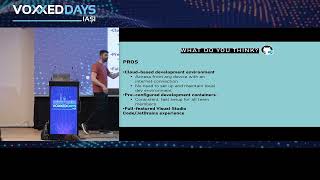
GitHub Codespaces gives a cloud dev machine tuned per repo with debugging, terminals, port forwarding and persisted state; it supports press "." to open github.dev for quick web editing and pre-builds cut spin-up to ~10s (example: github.com repo ~23 GB ready in ~10s, down from ~45m). Devcontainer.json + GitHub Actions build templates, extensions and dotfiles install, secrets inject as env vars, ports can be shared publicly or org‑only, sizes range from 2–32+ cores and the service is paid.
AI-written summary · about
chapters (23)
- 0:00Start
- 0:18Coding in the Cloud with Github Code Spaces
- 5:22Github Dev
- 6:03Live Share
- 7:52Web Editor
- 11:02Pull Requests
- 16:07Configure and Create a Code Space
- 16:52Machine Type
- 18:11Create Code Space
- 20:17Pre-Build Configuration
- 21:08Keep Previous Versions
- 22:10Create a New Code Space
- 26:09Run and Debug
- 28:01Copilot
- 29:04Vs Code
- 32:43Container Configuration Files
- 35:59Docker Compose File
- 38:35Settings Sync
- 42:36Create a Code Space on My Master Branch
- 46:29Secrets
- 47:29Organization Secrets
- 49:10Learn More Github
- 57:18Final Questions
related talks
 51mCoding in the Cloud with GitHub Codespaces
 54mThe Power of Dev Containers and GitHub Codespaces
 01h 14mThe Power of Dev Containers and GitHub Codespaces
 26mDevelop from Anywhere with GitHub Codespaces
 47mFuture-Proof Development with GitHub Codespaces, Copilot, and GPT-4
 28mEffective Remote C++ Development with Codespaces
 28mHow to get from idea to contribution in minutes
 47mCodespaces, Gitpod, Devpod what cloud and container-based IDEs can do for you