A web for anyone, anywhere, anytime

summary
Explains concrete accessibility fixes: prefers semantic HTML and to use native elements (button, link, label) instead of divs, follows three ARIA rules like aria only as fallback, and demonstrates an accessible dropdown and skip-link on GitHub. Cites tools/tech: VoiceOver, NVDA, JAWS, devtools contrast checker, constraint validation API, aria-live polite vs assertive. Calls out WebAIM’s finding that ~84% of top sites fail contrast, shows how to handle reduced-motion, prefers-color-scheme and reduced-data settings, and provides code-ready examples.
AI-written summary · about
chapters (34)
- 0:00Accessibility introduction
- 1:10Why accessibility matters
- 2:15Web Content Accessibility Guidelines explained
- 3:43WCAG principles
- 4:25Robust websites for all
- 6:13Semantic HTML future-proofing
- 7:39Headings and landmarks
- 8:45Links vs buttons
- 10:53Native HTML elements better
- 11:36ARIA rules and use
- 14:47Descriptive labels
- 16:31Making single-page applications accessible
- 18:14ARIA roles overview
- 22:46Perceivable content
- 23:51Color contrast challenges
- 26:25Testing color contrast
- 27:33Responsive design
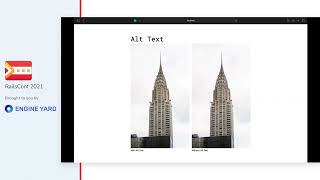
- 28:36Alt text for images
- 31:02Captions and audio
- 35:18Focus and keyboard navigation
- 36:44Tab order sequencing
- 37:46Accessible dropdowns
- 38:50Skip links
- 40:13Accessible forms
- 43:52HTML5 input types
- 46:21Form validation limits
- 47:24Custom error handling
- 49:08Content readability
- 51:19Language attributes
- 54:52Reducing motion
- 57:20Dark mode
- 1:00:09Reducing data usage
- 1:04:59Death to infinite scrolling
- 1:05:43Inclusive accessibility