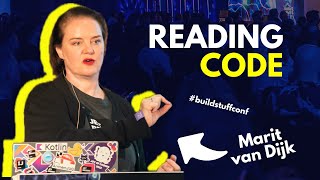
Reading Code

summary
Developers spend 58% of their time reading code, so a structured practice shows faster comprehension: a code reading club meets monthly (two years running) using printed snippets and timed exercises like a 1 minute first glance and a 5 minute summary, plus identifying five key lines and drawing dependency graphs. Practical tactics include building and running tests, using IntelliJ features (UML, module dependency matrix, debugger, bookmarks) and an IntelliJ AI Assistant to explain code, regex, SQL, or summarize commits.
AI-written summary · about
chapters (25)
- 0:00Introduction
- 1:03Reading code matters
- 3:09Code comprehension research
- 4:12Code reading club
- 8:23Structured exercises
- 11:54Cognitive challenges
- 16:31Code reading dimensions
- 17:35IDE for new codebase
- 20:47Building the project
- 23:51Running locally
- 25:21Generating diagrams
- 27:10Module dependencies
- 30:28AI Assistant for code
- 32:53Starting point in code
- 36:25Searching in IDE
- 39:41Strategies outside IDE
- 40:24Overcoming overwhelm
- 41:10IDE structure features
- 44:51Navigating tests
- 46:55Debugging behavior
- 49:25Refactoring verification
- 51:13AI Assistant explanations
- 53:05Regex and SQL features
- 53:26Git archaeology
- 54:52Summary and next steps