The definitive deep dive into the .git folder

summary
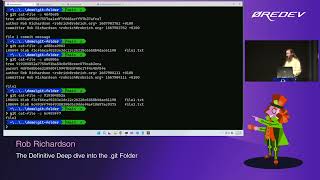
Opens the .git folder and shows exactly what is stored: objects: commits → trees → blobs with Zlib-compressed files that git cat-file can inflate, unzipper to inspect raw objects and git-explorer to visualize the DAG. Demonstrates init vs --bare, staging makes blob objects, commits reference trees, branches/tags are refs (plain files), detached HEAD behavior, reflogs track moves and Git cleans unreachable objects after ~2 weeks, hooks run shell scripts (use symlink tools like githooks/husky), and amending or force-push never safely removes an already-pushed secret.
AI-written summary · about
chapters (22)
- 0:00Introduction
- 1:14New Git repository
- 3:41Committing files
- 8:29Inspecting Git objects
- 12:44Git Explorer
- 15:37Staging changes
- 17:25File history storage
- 20:39Amending commits
- 23:14Never commit secrets
- 25:01Git objects explained
- 27:07Branches in .git
- 29:05Detached HEAD
- 31:23Managing branches
- 32:26Git remotes
- 37:06Recovering commits
- 40:18Resetting commits
- 45:09Git hooks
- 52:03Git config
- 56:20Git aliases
- 58:29Index file
- 1:01:19Summary
- 1:02:47Q&A
related talks
 01h 07mThe definitive deep dive into the .git folder
 45mThe definitive deep dive into the git folder
 53mThe Definitive Deep Dive into the git Folder
 35mWhat's inside the .git folder
 01h 00mThe Definitive Deep Dive into the .git Folder
 42mInside the .git folder - Explore the mysterious depths...
 01h 00mDeep Dive into Git
 55mUnderstanding Git — Behind the Command Line