The definitive deep dive into the .git folder

summary
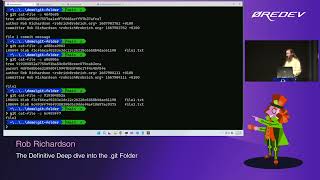
Shows exactly how commits, trees and blobs live inside .git by opening objects, inflating zlib blobs with a homemade unzipper node lib, walking hashes with git cat-file, and building a live commit explorer visualization that maps nodes and parents (it works, displays merges and dangling commits). Demonstrates pushing to a bare server, how git gc packs objects, that a repo stayed 48 KB locally, and that dangling commits are removed after ~2 weeks.
AI-written summary · about
chapters (21)
- 0:00Start
- 2:21Create a New Git Repository
- 8:07Git Cat File
- 8:53Commit Node
- 10:15Git Log
- 11:08Get Explorer
- 24:52Branches
- 26:22Create a New Branch
- 32:15Add a Remote
- 33:53Git Push New Feature to Origin
- 37:01Ref log
- 37:37Git Ref Log
- 39:45Hooks
- 41:24Prepare Commit Message Hook
- 47:04Git Ls Files
- 49:07Git Config File
- 51:06Auto Correct
- 52:30Aliases
- 54:15Use Aliases Sparingly
- 1:01:54Merge the Branches
- 1:03:43Rebase
related talks
 43mThe Definitive Deep Dive into the .git Folder
 53mThe Definitive Deep Dive into the git Folder
 45mThe definitive deep dive into the git folder
 01h 08mThe definitive deep dive into the .git folder
 01h 00mThe Definitive Deep Dive into the .git Folder
 35mWhat's inside the .git folder
 42mInside the .git folder - Explore the mysterious depths...
 01h 00mDeep Dive into Git