What's inside the .git folder

summary
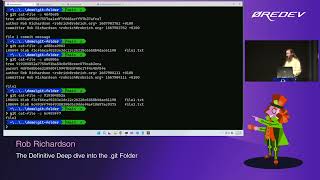
29 minutes of screen sharing that opens a real .git folder, unzips actual objects and shows exact commit/tree/blob contents; uses a custom unzipper and the git-explorer visualizer to display six then seven nodes, demonstrates git cat-file, pack files and zlib-compressed objects, shows branches as plain text refs, creates a detached HEAD, uses git commit --amend, pushes to a bare repo, inspects hooks, the binary index and explains how reflog recovers lost commits and why secrets committed once are effectively permanent.
AI-written summary · about
chapters (26)
- 0:00Introduction to .git folder
- 2:09Creating a Git repository
- 3:14Git objects and commits
- 6:52Visualizing Git objects
- 8:41Staging area and blobs
- 11:10Handling secrets in commits
- 12:55Pack files in Git
- 13:17Branches and HEAD
- 14:43Detached HEAD state
- 15:46Creating and switching branches
- 16:09Remote repositories
- 17:39Tags in Git
- 18:23Reflog for commit recovery
- 19:50Git hooks overview
- 21:40Automating with hooks
- 22:01Exclude vs .gitignore
- 23:05Git config files
- 24:52Git aliases and settings
- 25:56Description file
- 26:18Git index file
- 27:41Summary of .git contents
- 28:46Q&A on compression and deltas
- 30:09Practical uses of Git knowledge
- 31:57Q&A on hooks and tools
- 32:57Resources for further learning
- 34:23Closing and next steps
related talks
 01h 07mThe definitive deep dive into the .git folder
 45mThe definitive deep dive into the git folder
 01h 08mThe definitive deep dive into the .git folder
 53mThe Definitive Deep Dive into the git Folder
 01h 00mThe Definitive Deep Dive into the .git Folder
 42mInside the .git folder - Explore the mysterious depths...
 01h 00mDeep Dive into Git
 45m~/git --help