Developing for Linux on Windows

summary
WSL1 translates Linux syscalls with lightweight pico processes and hits roughly 80–95% coverage; WSL2 runs a real Linux kernel inside a utility virtual machine that boots in fractions of a second. Linux files inside the VHD run within 3–5% of native speed, but accessing the Windows filesystem from WSL2 is 5–10x slower. Docker and VS Code Remote run on WSL, localhost ports auto‑forward, GUI apps appear in Start, GPU and sound acceleration work.
AI-written summary · about
chapters (13)
- 0:00Introduction to Linux on Windows
- 1:31WSL1 Internals
- 7:32Terminal and console definitions
- 10:45Understanding Cygwin
- 13:25Windows Console History
- 19:27Windows Terminal features
- 23:25Pseudo-console and TTY
- 28:29Text mode interfaces
- 32:49WSL2 Virtual Machine
- 37:34Installing Linux Distros
- 44:00Integrating Windows and Linux
- 52:13GUI apps and networking
- 55:18Docker and Dev Containers
related talks
 41mDeveloping for Linux on Windows with WSL
 05mWindows Subsystem for Linux (WSL) Acquisition in Visual Studio
 50mUsing WSL2 for the Database Development Platform
 22mIterating faster with Flutter and WSL 2
 26mMy Journey from early Linux through Snap packaging to WSL
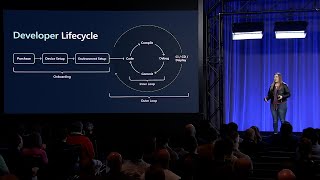 44mNew developer experiences in Windows
 29mBash shell scripts for Windows & Linux development with Qt
 14mInterview of Julien Dubois