UX Patterns for Developers
summary
Practical UX patterns and concrete fixes: inline critical CSS and use async/defer to render by 200ms instead of waiting 5s; measure bundles with source-map-explorer and split with webpack to shave 10–20% off vendor JS; avoid animating width/height — animate transform or opacity under 300ms; deploy a service worker + app shell precache and use cache-first, network-first or stale-while-revalidate strategies via sw-precache; require manifest, HTTPS and a registered worker to trigger the PWA install prompt. 53% abandon after 3s and real traces show main thread blocked 8+ seconds.
AI-written summary · about
chapters (31)
- 0:00Intro
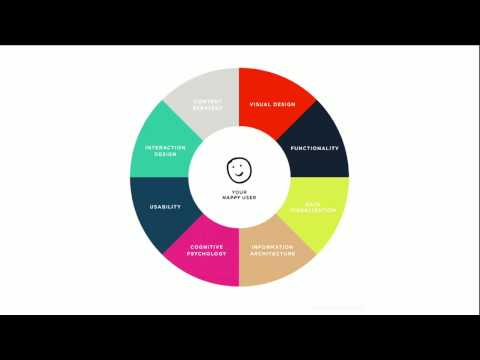
- 3:01UX design is a combination of methods with which you can solve design problems while focusing on the user.
- 4:11Reusable solutions to usability problems.
- 4:42Don't make the user wait
- 6:10First Paint
- 9:53An app shell is the minimal HTML, CSS, and JavaScript powering a user interface.
- 10:46First meaningful paint
- 11:18Ready for interaction
- 12:55Above the fold
- 13:49Consider the different states
- 17:07Earn the user's trust
- 17:27Functionality
- 18:27Timing
- 20:15Permissions API
- 20:55Enhance UX with transitions
- 21:53What makes a good transition?
- 25:41Animation scenarios
- 27:33For high pressure points Move all visual effects into transform & opacity
- 31:01Make it work offline
- 32:18A script run by the browser in the background and separate from a webpage
- 32:37Service Worker approaches Pre-caching Dynamic caching
- 32:51Service Worker pre-caching Pre-cache app shell
- 36:46Optimize it for mobile
- 38:05Progressive Web Apps
- 40:17Flag for testing #bypass-app-banner-engagement-checks
- 41:26Continuously test on real mobile devices
- 41:55Play on persuasion
- 42:09Curiosity
- 42:48Scarcity
- 43:20Reward
- 43:56Social proof
related talks
 49mUX Patterns for Web Developers
 35mDesigning Great Progressive Web Apps
 39mDesigning great progressive web apps
 39mGiving you ways to increase, but also explain site performance, to your boss.
 14mBridging the Designer-Developer Gap, PWA Edition
 40m“Performance by Design”
 33mFrameworks and Tools for Progressive Web Apps
 48mBecome a Frontend Developer Ninja using HTML5, JS and CSS3