Deploying Applications to Windows Containers and Windows Server 2016
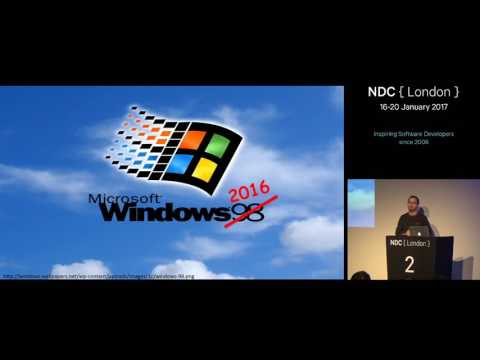
summary
Shows how to run native Windows containers on Windows Server 2016 using Docker, with concrete steps: install Docker, pull the 9 GB Windows Server Core base image (only ~900 MB deltas download), build a Dockerfile that installs IIS and .NET, run NerdDinner and a SQL Server container, and orchestrate multi-container setups with Docker Compose and Azure. Demonstrates Windows Server Core and Nano images, option for Hyper-V isolation (adds ~100 ms but gives a separate kernel), and local dev on Windows 10; the example builds and serves successfully.
AI-written summary · about
chapters (53)
- 0:00Intro
- 0:55Ben Hall Introduction
- 1:38Agenda
- 4:00Containers vs HyperV
- 6:26Containers are not virtual machines
- 7:03The history of containers
- 8:18Doc is realistic
- 11:02Docker Hub
- 12:18Whats Coming
- 13:47HyperV Containers
- 17:48Windows Nano
- 18:32Linux
- 19:50Ducka Client
- 20:26Layered VIP
- 21:04Windows Linux Subsystem
- 22:57Windows Docker Images
- 23:59Command Prompt
- 25:21SSMS
- 26:29Windows Container Support
- 28:12Windows Server 2016
- 28:29Windows Server Containers
- 29:07Chocolate
- 29:53Working with Docker
- 30:27Latest
- 31:07DockerHub
- 31:42Download Latest Version
- 32:38Build Docker Image
- 33:11Define Base Image
- 34:56Use Docker Hub
- 38:29Docker Build
- 38:54Docker Image
- 41:23Docker Isolation Mode
- 43:14Graduation
- 43:43Windows Updates
- 44:17Windows Version Number
- 47:24PowerShell API
- 47:35Create New Containers
- 48:34Win Both Containers
- 48:53Darken Logs
- 49:24Secret Service
- 50:01Docker Compose
- 50:50Nostalgia
- 51:48ASPnet
- 53:38Make the image available
- 53:52Build Pipeline
- 54:52What about developers
- 55:07Lets take advantage
- 56:00Now we are
- 56:33you can now
- 57:33docker is everywhere
- 58:01we can also now deploy
- 58:16containers unto armed and IOT
- 59:32containerized build pipeline
related talks
 58mDeploying Docker Containers on Windows Server 2016
 58mDeploying Applications as Containers on Windows Server 2016
 01h 02mDocker Container in the Microsoft Universe
 01h 01mDeploying Windows Container based apps using Kubernetes
 25mState of Windows Containers, How to Modernise Your IT for Windows Applications
 47mDocker On Windows 101
 01h 06mBuilding Docker Applications with .NET
 01h 02mMove legacy apps to Windows Containers