Data + Docker = Disconbobulating?
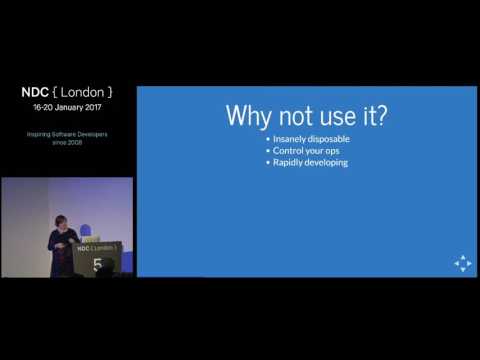
summary
Shows a working approach: create a docker machine, install the Azure File Storage plugin, run docker volume create and map it into containers so a MySQL on external volume survives container restarts and relies on Azure for backups. Demonstrations write hostnames to the shared mount and validate persistence. Practical limits appear: multiple containers writing one file cause visible file locking when concurrent writers, and running multiple DB instances on the same data files fails; solutions include DBaaS, per-tenant sharding, Flyway for schema migrations and feature flags for rolling changes.
AI-written summary · about
chapters (38)
- 0:00Intro
- 0:39About me
- 1:38Agenda
- 2:25Never delete
- 5:07Data types
- 8:05Challenges
- 12:33Why not use Docker
- 13:59Running Docker locally
- 15:08Interactive Shell
- 16:26Docker Machine
- 17:04Plugins
- 18:48Creating a machine
- 19:58Creating external volumes
- 20:57Creating Docker containers
- 23:51Using Docker containers
- 24:52Multiple containers
- 25:20Container reading
- 25:41Writing to the same file
- 26:18In files
- 27:14In databases
- 28:40File storage
- 29:35Attach to an existing container
- 30:15Kill an existing container
- 31:21Running multiple databases
- 31:34Running my first database
- 33:01Data refresh
- 35:01Scaling access
- 37:24Disaster safe
- 39:07Security
- 42:09Document DB
- 43:03Database as a Service
- 44:30Selfhealing
- 45:34Schema changes
- 46:08Docker Infinite
- 46:28Keep everything in Docker containers
- 46:49Questions
- 49:36Maxs experience
- 52:27Data deduplication
related talks
 47mRunning Databases in Docker at Scale
 38mDocker and Databases
 16mDistributed Docker Volumes Fun
 56mDeploying Docker for Database DevOps Dominance
 01h 07mDocker Containers on Azure - let me count the ways
 30mDev and Test Agility for Your Database with Docker
 50mDev and Test Agility for Your Database with Docker
 48mContainer: check! Aber wohin mit Persistent Data, Big Data oder Fast Data?!