30 Jenkins features and plugins you wished you had known about before!
summary
Thirty concrete Jenkins tips: use the Jenkins/jenkins Docker image and a volume to persist configs, install plugins via the install-plugins script and trigger a safe-restart, open JNLP port 50000 for agents, prefer ephemeral swarm or cloud agents, keep heavy work on agents not master, store pipelines as Jenkinsfile, use parallel stages and test-splitting for long suites, annotate non-serializable code with @NonCPS, extract shared libraries, and add Build Monitor, Job Config History, Job DSL, throttle, timestamps and version-name plugins.
AI-written summary · about
chapters (28)
- 0:00Intro
- 1:14Set-up: Use docker
- 1:54Set-up: Use the jenkins/jenkins Docker images
- 2:11Set-up: First time installer & Plugins
- 2:56Set-up: Provision your plugins
- 3:39Set-up: Don't do work on the Master, use Agents
- 4:58Set-up: Provision agents using Swarm plugin
- 5:38Set-up: Automate agent provisioning and make them ephemeral
- 7:28Jobs: Pipeline: Job configuration as code
- 8:13Jobs: Pipeline: Do work on agents...
- 10:00Jobs: Pipeline: Stages are groups of steps
- 10:32Jobs: Pipeline: Don't mess with environment variables
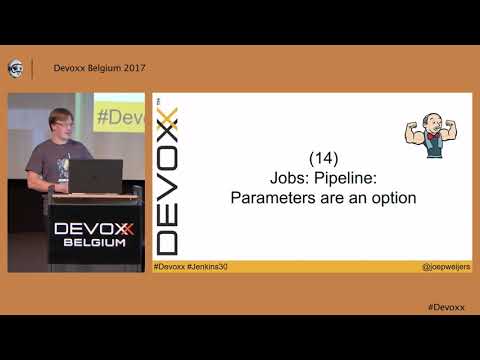
- 11:30Jobs: Pipeline: Parameters are an option
- 12:50Jobs: Pipeline: Parallelism
- 15:04Jobs: Pipeline: Know the difference between Declarative and Scripted
- 17:44Continuation-passing style (CPS)
- 19:06Jobs: Pipeline: Aborting Pipelines
- 19:48Jobs: Pipeline: Blue ocean GUI
- 21:02Jobs: Pipeline: There is a Pipeline editor
- 21:36Jobs: Pipeline: Use Shared libraries
- 22:18Jobs: Pipeline: Use files from shared libraries
- 22:42Views: Build your own view
- 23:47Views: Less mails, more Build Monitor
- 24:22There is an API
- 25:23Views: Extreme feedback
- 26:11Learn about Cloudbees
- 26:48Enterprise Jenkins: Cloudbees
- 27:31My favorite plugins
related talks
 42mSeven Habits of Highly Effective Jenkins Users
- 42mSeven Habits of Highly Effective Jenkins Users
 33mJenkins 101
 30mContinuous Integration; Tips & Tricks
 54mKeynote Address and Opening Remarks
 37mHelping Enterprises Scale Their Jenkins Software Practices and Tools
 01h 01mOpening Keynote
 35mOptimizing Your CI: Lessons Learned from a Successful Jenkins Rebuild