Real life cross-platform apps dev using Xamarin Forms

summary
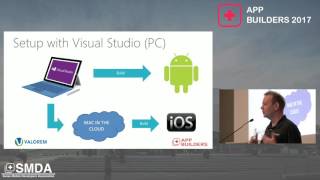
Build of a real boiler‑service app uses Xamarin Forms with Visual Studio, a Mac build host for iOS, and platform projects for Android, iOS and Windows, achieving about 80% code sharing in practice and promising up to 90% code sharing. The team wires Google Analytics across shared pages (finding 25 vs 17 orders per 1000 sessions iOS vs Android), delivers packages to Play Store/App Store/Windows, writes unit tests with mocks, and adds features like a battery plugin end‑to‑end.
AI-written summary · about
chapters (17)
- 0:00Introduction and company background
- 2:02Application requirements and features
- 3:27Cross-platform development options
- 5:53Xamarin.Forms architecture explained
- 7:43Development environment setup
- 8:24Live demo of Xamarin.Forms app
- 10:10Xamarin.Forms UI sharing benefits
- 10:55MVVM pattern in Xamarin.Forms
- 13:23Platform-specific UI rendering
- 14:25Platform-specific services with dependency injection
- 16:09Unit testing in Xamarin.Forms
- 20:14Release management for all platforms
- 23:56Real-time analytics overview
- 27:08Adding a new feature demo
- 32:24Comparing Xamarin.Forms and Xamarin Native
- 34:36Advantages and challenges of Xamarin.Forms
- 35:20Project outcomes and conclusion
related talks
 48mXamarin.Forms: Native iOS, Android, and Windows Phone apps from ONE C# Codebase
 58mBuild Cross-platform Apps with .NET MAUI
 50mXamarin Forms: Native iOS, Android & WP Apps from one C# Codebase
 34mBuilding mobile applications with .NET Xamarin
 39mAn overview of the Xamarin programming platforms
 01h 10mNative Cross-Platform Mobile & Desktop Apps with .NET MAUI
 43mAll things client and mobile app development with .NET MAUI
 41mBuilding great apps with Xamarin.Forms