Xamarin.Forms: Native iOS, Android, and Windows Phone apps from ONE C# Codebase

summary
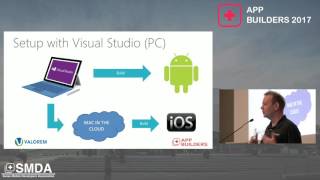
Xamarin.Forms builds native iOS, Android and Windows (UWP/Phone) apps from a single C# core, with live-coded demos and real apps (an Untappd-style client, step counter, Dutch-spelling app, and a hydration Mac utility). Shared-logic lives in a PCL or shared project while UI is either platform-specific (~75% reuse with traditional) or abstracted by Forms (~97% code reuse). Tooling: Visual Studio/Xamarin Studio, XAML or C# UI, two-way binding, dependency service and custom renderers; performance uses AOT on iOS, JIT on Android, and demos run successfully.
AI-written summary · about
chapters (17)
- 0:00Introduction and speaker intro
- 1:03Who is Mike James?
- 9:52From web to native with Xamarin
- 10:14Siloed vs cross-platform development
- 12:40Shared C# core and tooling
- 13:45API access and performance
- 16:12Traditional Xamarin development
- 20:46Demo: iOS UI in Visual Studio
- 23:14Auto layout and controls
- 27:04Event handling and IntelliSense
- 30:37Xamarin.Forms overview
- 33:29Xamarin.Forms architecture
- 37:05Demo: Beer app with Xamarin.Forms
- 41:43Platform-specific UI differences
- 42:49XAML previewer and native embedding
- 44:35Dev Days event and resources
- 45:17Q&A and Linux support
related talks
 50mXamarin Forms: Native iOS, Android & WP Apps from one C# Codebase
 39mReal life cross-platform apps dev using Xamarin Forms
 39mAn overview of the Xamarin programming platforms
 58mBuild Cross-platform Apps with .NET MAUI
 41mBuilding great apps with Xamarin.Forms
 57mCross-platform development with .NET MAUI
 34mBuilding mobile applications with .NET Xamarin
 19mCross-Platform Development with Xamarin.Forms and the New .NET MAUI