How Sprockets works
summary
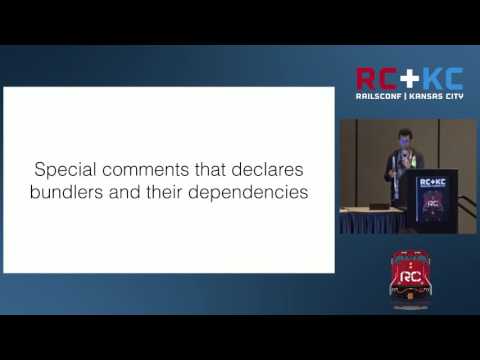
Explains how Sprockets composes processors, transformers and compressors into the default pipeline that builds assets, how the environment and manifest map logical paths to fingerprinted files, and how development uses the debug pipeline with source maps while production relies on precompile. Shows concrete tools used: Babel, CoffeeScript, Sass, execjs, sprockets-rails, and code for registering processors. Demonstrates real extensions such as an NPM directive to pull node_modules and an automatic SVG to PNG conversion at precompile, with examples of implementation and how the bundle processor concatenates required files.
AI-written summary · about
chapters (23)
- 0:00How Sprockets works
- 0:58RAILS Maintainer
- 3:49Code organization X Performance
- 4:06Small self-contained files
- 6:00Processors pipeline
- 6:28Most important component in Sprockets
- 10:24Compressor
- 14:03It has methods to retrieve and serve assets, manipulating load path, and registering processors.
- 15:15Points the asset path to the fingerprinted version
- 16:59Integrates Sprockets to the Rails application
- 17:13Configures the Sprockets environment
- 17:24Checks the precompile list
- 19:13It allows you to run JavaScript code from Ruby
- 20:04It is used by the coffee-script gem to compile CoffeeScript code
- 20:25Defines a template handler
- 20:41How the assets are generated in development.
- 21:21sprockets-rails use the Sprockets' pipeline 'debug
- 22:08To build the asset bundle the default pipeline is used
- 23:07To compile the required files the self pipeline is used
- 24:32The bundler processor merge all of them
- 24:44What are the key difference between development and production
- 28:33Understand your tools
- 28:43Share with the community
related talks
 37mHow Sprockets Works
 31mHow Sprockets Works
 29mAggregation with Sprockets
 20mMaster the Rails Asset Pipeline: Best Practices for Apps & Gems
 17mWebpacker vs Asset Pipeline
 24mPropshaft and the Modern Asset Pipeline
 34mFrom Sprockets to js-bundling: Evolution of JavaScript tooling in Rails!
 37mWebpacker, It-Just-Works, But How?