Make Games with .NET using Visual Studio, Unity, and PlayFab

summary
Shows building a simple Unity scene with a rotating saucer and a fuller "Unicorn Battle" sample using C# scripts edited and debugged via VSTU (attach debugger, breakpoints, step) and assets from the Unity Asset Store. Demonstrates PlayFab integration for live ops: calling PlayFab client APIs to push title data key/value (JSON allowed), handle auth, leaderboards, inventory and real‑time analytics. Notes Unity now offers an optional Mono runtime with .NET 4.7 and C#7 (Roslyn) for better performance.
AI-written summary · about
chapters (16)
- 0:00Intro
- 1:10What is Unity
- 2:08How to get started
- 4:03Unity
- 8:30Visual Studio
- 10:27Unity Web Assembly
- 13:12Asset Store
- 14:37Importing Assets
- 16:27Unity Project Explorer
- 20:57Unity Monobehaviour Wizard
- 24:47Update Methods
- 26:42New in Unity
- 32:52PlayFab
- 36:17Title Data
- 36:57PlayFab Editor
- 41:52PlayFab Demo
related talks
 01h 00mUnity 101 for C# Developers
 01h 03mUnity 101 for C# Developers
 23mUsing .NET for game development
 27mYour first game with Unity3d Framework
 52mUnity: make development fun again!
 56mUnity for the enterprise developer
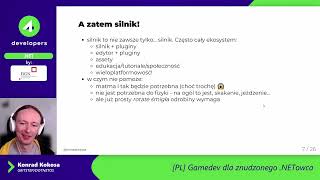 47mGamedev for the Bored .NET Developer
 49mMultiplayer Misadventures - Tales from making our first PvP multiplayer game in Unity