How To Make Your Website A Progressive Web App And Why You Might Want To

summary
Progressive Web Apps turn a normal website into an installable, offline-capable app by adding three concrete pieces: HTTPS, a manifest.json, and a service worker that controls caching, installation and push behavior. Demonstrations include an offline MP3 button site (party.party) that caches critical files and shows the browser install banner, and a game that becomes a Windows Store app because Microsoft Store accepts PWAs. Notes practical pitfalls: app-store signing, plugin/version hell, and using Lighthouse, PWABuilder and services like Firebase/OneSignal to deliver notifications and test real installs.
AI-written summary · about
chapters (14)
- 0:00Introduction
- 8:26Mobile app problems
- 12:51Web vs walled gardens
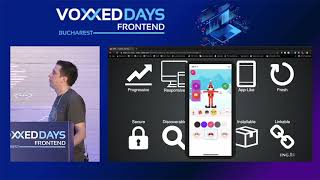
- 15:37What is a PWA
- 19:27PWA requirements
- 23:17Service workers explained
- 25:28PWA demos
- 33:51Testing PWAs with Lighthouse
- 37:22PWA rollout strategy
- 43:21PWA in app stores
- 45:49Push notifications in PWAs
- 48:59Resources and tools for PWAs
- 55:23Progressive enhancement
- 57:12Q&A
related talks
 56mHow To Make Your Website A Progressive Web App (And Why You Might Want To)
 36mHow To Make Your Website A Progressive Web App (And Why You Might Want To)
 10mAny Site can be a Progressive Web App
 37mIntro to Progressive Web Apps
 38mProgressive Web Applications: The What, the Why and the How
 47mProgressive Web Apps
 46mIntro to Progressive Web Apps
 49mIntro To Progressive Web Apps