Intro to Progressive Web Apps

summary
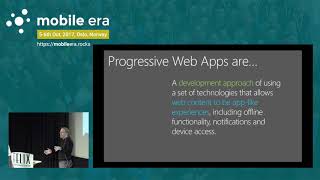
Shows a concrete checklist for turning a website into a PWA: add a web app manifest (start_url, icons, emojis supported), register a service worker that uses the Cache API to precache an application shell and fall back for offline, enable push notifications for re‑engagement, and serve everything over HTTPS. Gives examples (Twitter Lite, Pinterest, Flipkart, offline Wikipedia), tooling (Chrome DevTools + Lighthouse, PageSpeed notes) and claims measurable engagement gains after rewriting as a PWA.
AI-written summary · about
chapters (25)
- 0:00Intro
- 3:58History Lesson
- 4:22Software Distribution
- 9:57Whats Missing
- 12:06Native Apps
- 13:37The Distribution Process
- 16:42App Install Banner
- 20:46What is a Progressive Web App
- 24:31Responsiveness
- 25:53Web App Manifest
- 27:18App Intersted
- 28:14JSON Manifest
- 31:07Push Unification
- 32:08Service Workers
- 33:49Security
- 34:52Service Worker
- 35:37Offline
- 37:23Architecture
- 37:38Application Shell
- 38:54Wikipedia
- 39:44UpShow
- 42:06Additional Resources
- 42:51Browser Service Workers
- 43:44Lighthouse
- 45:20Recap
related talks
 37mIntro to Progressive Web Apps
 49mIntro To Progressive Web Apps
 17mTransforming your Web Application into a PWA - Why and How?
 23mBuilding a Progressive Web App
 29mProgressive Web Apps: What, Why and How?
 46mKeynote: Progressive Web Apps
 17mLet's Build a Progressive Web App
 58mHow To Make Your Website A Progressive Web App And Why You Might Want To