Uno Platfrom Your apps everywhere

summary
Uno Platform lets you write C#/XAML once and compile the same UI and business logic for Windows, Android, iOS, macOS, Linux and the web; demo compiles a WinUI XAML app, runs it on Windows, an Android emulator and as WebAssembly client-side DLLs in the browser, where it updates UI, honors dark theme, writes local files and runs speech and MIDI APIs. Gallery, Calculator and NuGet Package Explorer are ported and working, and device features like gamepad, accelerometer and clipboard are exposed via the same WinUI-compatible XAML APIs.
AI-written summary · about
chapters (31)
- 0:00Start
- 5:13Uno Platform
- 8:02Demo
- 8:44How To Install Uno Platform
- 13:22Android
- 13:35Platform Projects
- 16:01Gtk for Targeting Linux
- 16:33Web Assembly
- 18:24Dark Theme
- 18:49Keyboard Input
- 19:38Playground Platform
- 20:52Controls
- 21:05Advanced Controls
- 22:16Accessibility
- 24:07Acrylic
- 24:39Non-Ui Apis
- 26:22Accelerometer
- 27:00Speech Recognizer
- 27:18Midi Musical Instrument Device Interface
- 28:06File System
- 29:30Partnerships
- 30:35Uno Calculator
- 32:12Nuget Package Explorer
- 32:33Package Explorer
- 34:20Support for Visual Studio Code
- 34:41Figma Plugin
- 35:05Uno Platform Figma Plugin
- 37:00Uno Calculator Running on Tesla
- 38:42Mapping Support
- 41:05Developing Your Components
- 41:30Uno Platform Library
related talks
 58mUno Platfrom: Your Apps Everywhere
 52mUno Platform: Your Apps Everywhere
 08mIntroduction
 55m.NET Apps Everywhere (Uno Platform)
 47mNET Apps Everywhere, at 5x the Speed
 58mWrite Uno Time, Run Everywhere with the Uno Platform
 08mUWP isn't dead! | Interview with
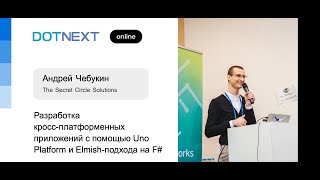 01h 00mBuilding Cross-Platform Apps with Uno Platform and the Elmish Approach in F#