Make UI tests part of your pipeline

summary
A short demo writes a JavaScript UI test with Cypress.io, uses CSS selectors to type, click and assert a success page, and shows time‑travel, screenshots and video. Pipeline steps in an Azure DevOps YAML pipeline install and cache npm packages, run-and-record Cypress, and break the pipeline on failures before swapping a stage slot to production. Tests show stubbing/mocking of APIs to avoid DB cleanup and results published to the Cypress Dashboard for playback.
AI-written summary · about
chapters (5)
- 0:00Intro
- 0:33Why use automated UI tests?
- 3:54Demo
- 7:09Where to start Core features
- 10:50Cypress Dashboard
related talks
 42mStrategy for Automation Testing Using Cypress.io
 44mAutomation Testing Web Apps with Cypress
 56mCypress: Where Automated Acceptance Testing Isn’t Just for QA Anymore
 57mGaining Confidence with Cypress Tests
 39mGaining Confidence with Cypress Tests
 23mGaining Confidence with Cypress Tests
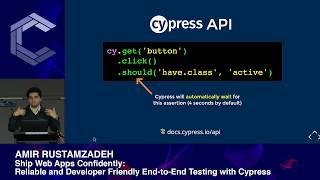 50mShip Web Apps Confidently: End-to-End Testing with Cypress
 20mIntegration Testing with Cypress