Structure in Android App Design
summary
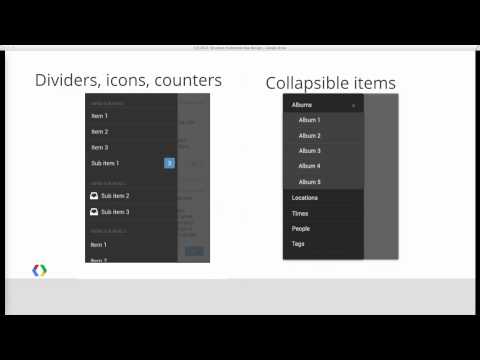
Use case diagrams are the practical tool: list actors and use cases, prioritize, decompose, then draw a simple use case diagram with bold common paths and dashed rare ones. Rotate it to estimate screens—rotate it 90 degrees—and map one screen per case as a phone rule of thumb. Choose top-level switching by expected frequency: tabs for 3 fast-access facets, Spinner when compactness matters, and the formalized Navigation Drawer (sample code in the style guide) when many hubs or deep links are needed.
AI-written summary · about
chapters (7)
- 0:00Principles of app structure
- 2:02Modeling with use cases
- 5:39From use cases to hierarchy
- 11:08Top-level navigation levels
- 14:48Navigation patterns
- 23:34Pattern evaluation examples
- 34:15Future-proofing your design
related talks
 14mImplementing Android apps for all screen sizes
 14mDesigning apps for large screens
 18mCanonical layouts and visual hierarchy: Designing for larger screens
 15mDesigning Buildable Apps
 51mDesigning Buildable Mobile Apps - iOS App Development
- 18mCanonical layouts and visual hierarchy: Designing for larger screens
 27mRunning a Design Sprint on Android
 53mIndispensable Principles of Crafting Complex Interfaces