"JavaScript as Play"

summary
Argues that everyday web skills map directly to games and shows concrete Phaser code: preload sprites, use sprite sheets, enable physics arcade, handle collisions and scoring. Demonstrates a quick 48‑hour prototype and a two‑month playable project "Rick's Big Day" (explorable cat platformer with jump velocity ≈ -350, score +50 per treat, 800×600 world). Shows which functions run (preload/create/update), grouping platforms, overlaps vs. collisions, and that the projects run though remain a work in progress.
AI-written summary · about
chapters (14)
- 0:00Introduction to games
- 3:02Why make games with JavaScript
- 7:13Game mechanics and genres
- 8:38Choosing Phaser library
- 9:22Phaser setup basics
- 10:46Sprites and sprite sheets
- 13:57Player movement and controls
- 15:25Adding platforms and collision
- 16:51Collectibles and scoring
- 19:25Game states and advanced features
- 20:13Demo: Rick's big day
- 22:03Next steps and game jams
- 23:27Breaking rules and having fun
- 27:24Encouraging creative games
related talks
 25mJavascript as Play A Primer on Getting Started with Video Games
 25mJavaScript as Play
 26mdeveloping videogames in JavaScript
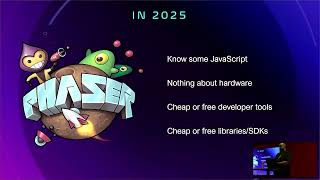 25mLeveling Up: Building Retro 2D Games with JavaScript and Phaser
 29mJavaScript and Game Development
 31mMake coding fun: developing a game in the browser
 26mMaking games with JavaScript and Phaser.io
 42mMake coding fun: developing a game in the browser