Consuming CentOS Stream
summary
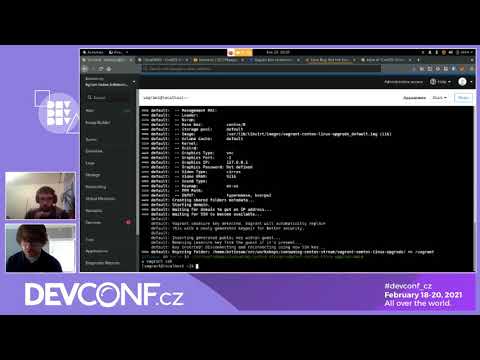
CentOS Stream is available as container images on quay.io/centos (x86_64, arm64, ppc64le) and as Vagrant boxes, cloud images and AMIs; use podman 3.0 short names and pin image tags like stream8. Migrating a CentOS Linux 8 host is three commands: sudo dnf install centos-release-stream, sudo dnf swap centos-linux-repos centos-stream-repos, then sudo dnf distro-sync (demo shows about 184 packages upgraded). Images are built from the same sources but with separate build systems and are runnable in AWS and local VMs.
AI-written summary · about
chapters (19)
- 0:00Introduction
- 8:02How it Works
- 9:06DNF Swap
- 10:26yum repos
- 11:28yum packages
- 13:47AWS
- 14:37AWS Machine Images
- 16:22CentOS Cloud Images
- 17:00Vagrant Boxes
- 17:32Cloud Image
- 18:21Vagrant Migration
- 22:41Build Systems
- 24:25Mirror Network
- 28:18Branding
- 30:49EC2 Instance
- 32:22Vagrant
- 34:03Generic Cloud Images
- 35:50Using Generic Cloud Images
- 39:47Bugzilla
related talks
 46mCentOS Stream: What you need to know
 25mCentOS Stream: Progress so far
 35mBuilding the Community Enterprise Operating System through CentOS Stream
 43mCentOS Stream: A panel discussion
 36mBuilding elastic configurations using CentOS Stream and EC2-Hibernate
 30mPorting CentOS Stream to Apple Silicon Macs
 24mEveryone can contribute to RHEL now!
 13mCoreOS is Dead, Long Live CoreOS