“Benchmarking C++ Code"

summary
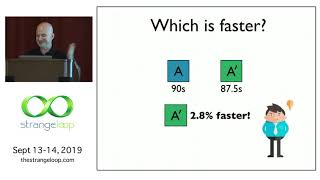
Explains how to get believable C++ performance numbers: form a hypothesis, measure runtimes with std::chrono or the TSC, and report 95% confidence intervals after running many executions (pilot runs often show needing 100–400+ samples). Demonstrates pitfalls (a bimodal context‑switch timing bug), shows tooling: Boost.Accumulators gotchas for sample stddev, Google perftools for heap profiling, counting copies/moves with mock objects, and using Intel Amplifier / vectorization advisor; converts benchmarks into automated regression tests.
AI-written summary · about
chapters (24)
- 0:00Intro
- 2:07The Problem with Performance
- 4:35What is Performance?
- 5:44Sources of Error
- 6:33Variance
- 11:33Case Study: CFD AMR Scaling
- 14:38Statistical Best Practices
- 17:12Gathering Data
- 20:18Uncertainty
- 22:57Example: Boost.Accumulators
- 27:29Confidence Intervals
- 33:21Mean-Median Test
- 34:19Case Study: HPX CS Overhead
- 36:49Time-Based Benchmarking
- 41:36Memory Benchmarking
- 42:48Example: Instrumenting operator new
- 43:14Counting Copies/Moves
- 44:37Hardware Performance Counters
- 46:21Intel VTune Amplifier
- 51:36Intel Vectorization Adviser
- 52:35Write Performance Tests
- 53:40Stateful Performance Tests
- 54:32Stateless Performance Tests
- 56:19Summary
related talks
 47mBenchmarking C++, From video games to algorithmic trading
 05mLightning Talk: Micro C++ Benchmarks & Murphy's Law
 29mPractical guide to benchmarking your optimizations
 01h 00mMoving Faster: Everyday efficiency in modern C++
 58mC++ Performance and Optimisation
 42mPerformance Matters
 37mC++ as an Optimizing Assembler - a Performance Talk
 59mCounting Nanoseconds Microbenchmarking C++ Code