JRuby Hacking Guide

summary
JRuby 1.6 targets an RC around December 10 and aims to finish 1.9 support; code builds with Java (and a simple ant step) from GitHub so contributors can fork and send pull requests. Runtime debugging uses jvisualvm and Eclipse Memory Analyzer plus JVM flags and a Ruby-specific --profile output; a live demo shows a hundred‑thousand leaked instances. A Java extension weakling gem implements VM reference queues and proves the approach works; a Ruby‑like compiler Mira produces Java class files for faster extensions.
AI-written summary · about
chapters (59)
- 0:00Intro
- 1:37About the book
- 2:13Getting the source code
- 3:18Getting started
- 4:37Java on Mac
- 5:28JRuby Tools
- 5:42Config Flags
- 5:54JRuby Ops
- 7:58JIT Logging
- 8:53Tools
- 9:49JVisualVM
- 10:48Heap dumps
- 12:20Job Options
- 12:54ThirdParty Tools
- 13:31Extending JRuby
- 14:01Job Integration
- 14:24Java Integration
- 14:52JRuby String
- 15:28JRuby Object
- 16:11Dangers and Pitfalls
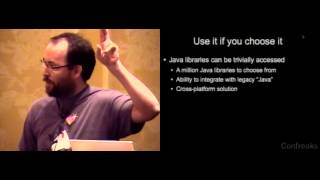
- 17:38Why use Java
- 18:47Single Inheritance
- 19:13Signatures
- 19:27Interfaces
- 19:45Compile
- 20:02Groovy
- 20:18Weakling
- 21:32ID to Ref
- 23:00Why Java
- 23:21Bootstrap
- 24:26RFQ Library
- 24:43JRuby
- 26:22Vocal
- 26:50Wegraph
- 27:32Method
- 27:48Dynamic Dispatch
- 28:11Dynamic Dispatch Hierarchy
- 28:34Annotations
- 28:58Extension
- 29:55Allocation
- 30:29Super Classes
- 30:50Basic Object
- 31:17Initialization
- 31:45Splitout
- 32:28New
- 32:49Binding
- 33:22Thread Context
- 34:53Game Method
- 35:42Name
- 35:58Transitions
- 36:26Type coercion
- 36:58Overloads
- 37:47Evaluate
- 38:31Redcard
- 39:35Twitter
- 40:32Mira
- 40:53Java Source
- 41:11Java Mirror
- 41:47Reapply Classes