Using Dash to Create Interactive Web Apps for Non-Technical Audiences

summary
Built a Dash app (on Flask Plotly.js React) that reads load‑cell data from an existing DAQ, streams real‑time plots at configurable sample rates, and saves per‑test files for later review. Interface includes setup tab with channel naming and background zeroing, real‑time plotting tab with adjustable sampling and update rate, and a post‑test plot tab plus planned calibration and event‑marker tools. Prototype handles input validation, toggling sign for compression vs tension, and currently trades off plot update frequency versus readability; core system is written in Python and deployable as a simple web service.
AI-written summary · about
chapters (7)
- 0:00Start
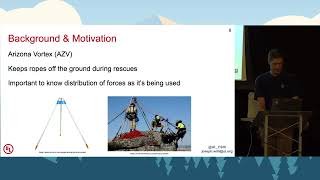
- 3:28Outline Background & Motivation
- 5:14Various Configurations Ram's Head
- 9:15Overview of Dash
- 14:06Initial Objectives Read data to a file
- 20:56Develop Clear Objectives from the Start
- 23:14Treat it as a Learning Experience
related talks
 31mUsing Dash to Create Interactive Web Apps for Non-Technical Audiences
 41mDash: data exploration web apps in pure Python
 32mDash: Interactive Data Visualization Web Apps with no Javascript
 33mIntro to Dash
 22mIntro to Plotly Dash
 29mUsing Dash by Plotly for Interactive Visualisation of Crime Data
 30mMeta-Dashboards: Accelerating Geospatial Web Apps Creation with Voilà
 26mBuilding Dynamic Dashboards With Django and D3