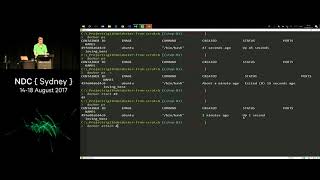
Docker, FROM scratch

summary
Starts from the absolute basics and actually runs examples: a Docker CLI tour with 14 live demos, running Ubuntu and node containers, showing volumes, port binding, docker build and compose, and a multi-stage Dockerfile that produces a scratch 1.5 MB image. Demonstrates differences like node:7.4-alpine 59.2 MB vs node 666 MB, single-use containers for tooling, composing a web app + SQL Server (1.5 GB image), and shows images, layered caching, networks and when containers stop or are removed.
AI-written summary · about
chapters (18)
- 0:00Start
- 1:55Useful Terminology
- 7:28Docker Cli
- 8:53Docker Logs
- 9:23Docker Stop
- 10:03Docker Rm
- 15:34Single-Use Containers
- 18:06File Systems Are Unique per Container
- 21:31Run Node inside of a Container
- 30:47Build an Image
- 35:17Step 8
- 36:26Docker Compose File
- 37:58Creating a Container
- 38:26Because the Reason for that Is Docker Composes Really Is Is Actually Just Translating that Yama File into the Appropriate Cli Commands To Execute and Now We Can Do Docker Kill of F3 and by Killing that that Stops the Compose from Running Which Will in Turn Clean It Up after Itself and We'Re all Done and Dusted so We Can Do Other Things with Docker Compose Step 9 So Let's Say that We Wanted To Run Something To Actually Build an Image out of It Obtain that Second Node Example That Had Where We Had the Docker File I Can Use da Compose To Also Execute a Docker File and Then Run a Service on the Base of that
- 39:00Step 9 So Let's Say that We Wanted To Run Something To Actually Build an Image out of It Obtain that Second Node Example That Had Where We Had the Docker File I Can Use da Compose To Also Execute a Docker File and Then Run a Service on the Base of that So this Time Instead of Having To Specify the Image Working Directory Etc Etc I Can Do all of that in My Docker File Same Docker File That We Saw Previously and this Time the Node Service That I'M Specifying Here Has a Build Property on It on Line 9 I Specify Where What's the Context of the Builder You Want To Execute It's in the Current Working Directory Dot Slash
- 45:05That Was Going To Freak Me Out and I Was GonNa Have a Lot of Problems Going Forward if I Couldn't Work that One Out Bsi Probably Create the Database before I Try and Create a Table in It Order of Execution Problems Yeah We Can Deal with those So this Is Taking a Moment if We Come over Here There's Nothing Interesting in the Logs but You Kind Of See What's Happening in Our Log Files There Give It a Moment That Is Taking a Phenomenal Amount of Time Alright that's Airing for some Reason but I Think You Kind Of Get the Point That I Should Have Been Able To Execute these Scripts
- 50:45So Let's Just Go Up and Stop those Clean Everything Up and Then We'Re Going To Go to Our Next One as I'M Drastically Running out of Time We'Ve Got a Couple More Demos To Go All Right So I Was Running My Sequel Server of My Web Server in the Same Network but Realistically You Probably Want To Have some Kind of Network Isolation between Them We Don't We Probably Don't Even Want Our Sequel Server Externally Accessible I'M from a Production Standpoint We Probably Want to We Want To Block all Incoming Port Incoming Traffic through that Sequel Server Just To Reduce One One of the Attack Vectors So To Do that We Can Create Them in Two Separate Networks and We Don't Actually Have To Do any Public Port Bindings
- 54:02I Said at the Start I Had a Joke in the Title Which Is that this Is Docker from Scratch and the Reason That I Say from Scratch Is Scratch Is the Most Primitive Image That You Can Create a Container from It's Technically Not an Image like You Can't Actually Pull It Down from a Container Registry but You Can Still Build Something from It Scratch Has Nothing Installed in It by Default Where We Used a Bun to Previously and I Was Able To Connect into and Do Using Bash and Then I Could Execute Commands against It It's Got a Few Other Premier Things in There