Mastering Text Input in Compose

summary
Shows the new state-based TextField API and replaces onValueChange with input transformation and visualTransformation with output transformation, using a max-length digit filter and a buffer to format US numbers as "(XXX) XXX-XXXX" (parenthesis at index 0/4, dash at index 8). Demonstrates secure text field disables cut and copy and enforces a password rule (enable only when length > 8), commits credentials via Autofill using content types newUsername/newPassword and username/password, offers SMSOTP autofill for six-digit codes via a BasicTextField decorator, AutoSize for dynamic text, and contentReceiver for GIF/sticker drag-and-drop.
AI-written summary · about
chapters (14)
- 0:00Welcome
- 1:09State-based text field
- 2:11Hiding passwords
- 3:39Password requirements
- 5:07Autofill credentials
- 6:31Logging in with saved credentials
- 7:55Toggle password visibility
- 9:41Two-factor authentication
- 11:26OTP fields with BasicTextField
- 14:36Autofill SMS OTP
- 15:39Rich content receiver
- 18:34Drag and drop receiver
- 19:39Autosizing text
- 23:57Summary
related talks
 20mMastering Text Input in Compose
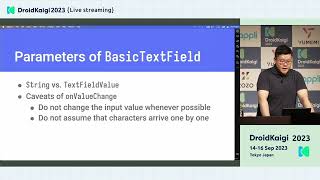 39mUnderstanding Compose Text Field
 35mReimagining text fields in Compose
 41mTextField in Jetpack Compose:past, present and future
 38mWrite it down: Using text in Jetpack Compose
 39mText in Compose: Beyond the Basics
 32mCompose your Text
 39mBuild a Vertical Text Editor with Android 16 × Jetpack Compose