Write it down: Using text in Jetpack Compose

summary
Jetpack Compose breaks text into layers: Text -> BasicText -> Paragraph -> platform Java/C++ rendering, and offers downloadable fonts (fetch Google Fonts with device and bundled fallbacks) and new font-padding controls that fix vertical misalignment by setting includeFontPadding = false. Styling uses TextStyle/MaterialTheme and AnnotatedString for spans; clickable annotations work and are accessible. TextField requires synchronous state handling — avoid StateFlow/delays that scramble input and prefer mutableStateOf or hoisted synchronous state. BasicText/basicTextField enable custom behavior when Material components are too limiting.
AI-written summary · about
chapters (10)
- 0:00Introduction
- 1:57Text architecture in Compose
- 5:50Text styling basics
- 7:14TextStyle and reusability
- 13:16Downloading and using fonts
- 16:07Vertical text alignment
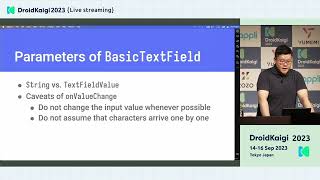
- 23:30Input fields and TextField
- 26:40TextField state management
- 30:34Multi-styling with AnnotatedString
- 34:46Final thoughts and resources
related talks
 26mDeep Dive into Jetpack Compose Text
 39mUnderstanding Compose Text Field
 41mTextField in Jetpack Compose:past, present and future
 32mCompose your Text
 39mBuild a Vertical Text Editor with Android 16 × Jetpack Compose
 10mStyling text in Compose
 39mText in Compose: Beyond the Basics
 41mCompose beyond Material