Mastering Text Input in Compose

summary
Shows concrete Compose APIs and working code: use secure text field for hidden passwords and disabled copy paste, enforce a >8 char requirement and call autofillManager.commit to save to Google Password Manager, enable login autofill via contentType hints, toggle visibility with text obfuscation modes including reveal last typed, accept GIFs images and drag and drop with modifier.contentReceiver and process transferable content URIs, autosize names, and format US phones by chaining inputTransformation (max 10 digits) and outputTransformation with TextFieldBuffer to insert parentheses and dash.
AI-written summary · about
chapters (11)
- 0:00Text input in Compose
- 1:08State-based text fields
- 2:36Secure password field
- 3:39Password validation
- 5:07Autofill credentials
- 7:35Autofill login screen
- 8:38Toggle password visibility
- 10:00Rich content receiver
- 13:08Drag and drop receiver
- 14:32Auto-sizing phone numbers
- 19:17Summary
related talks
 24mMastering Text Input in Compose
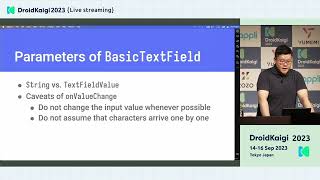 39mUnderstanding Compose Text Field
 35mReimagining text fields in Compose
 41mTextField in Jetpack Compose:past, present and future
 38mWrite it down: Using text in Jetpack Compose
 32mCompose your Text
 39mText in Compose: Beyond the Basics
 39mBuild a Vertical Text Editor with Android 16 × Jetpack Compose