Multi-Dimension Mapping of Embedded Applications

summary
Four related papers present concrete results: an approximate-BCNN design produces a fabricated 28 nm chip that claims ~32% power and ~39% delay reductions while recovering most accuracy with a quality-aware recovery flow; a DNN multitasking accelerator reorders off-chip data into bursts and reports up to ~30% energy or ~60% throughput gains with only 8.3% area overhead; NeuroMap uses the Comet simulator to cut DNN execution time 7–39% and memory energy 12–40% via task-to-channel mapping and low‑power states; a mapping-transfer method called 3D transfer + refinement converts prior mappings to new MPSoC variants in seconds and refines them in hours, approaching full DSE quality.
AI-written summary · about
chapters (16)
- 0:00Start
- 9:01Accuracy Recovery
- 14:18Performance Evaluation
- 20:44Data Arrangement Framework
- 34:56Deep Neural Networks
- 36:52Neural Map Policy
- 39:12Low Power State-Based Ttm Policy
- 39:39Baseline Task Mapping Policies
- 40:24Execution Time Comparison
- 45:40Latency Gain
- 51:00Mapping of an Application
- 52:25Refinement Phase
- 53:11Mapping Interactions
- 53:45Prioritize Unoccupied Resources
- 55:33Proposed Refinement Process
- 1:00:55What Is the Future Work
related talks
 13mOptimizing Dynamic Neural Networks with Brainstorm
 01h 54mDNNs on FPGAs
 01h 53mMachine Learning for Manycore System Design and Optimization
 22mOptimizing Large MoE Inference on NVIDIA Blackwell: NVFP4, ADP, and DualPipe Strat...
 25mCMSIS-NN
 14mBrain-on-Switch: Towards Advanced Intelligent Network Data Plane via NN-Driven Traffic...
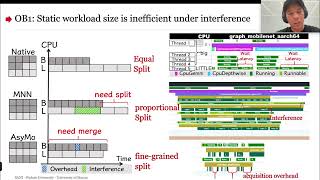 17mUnleash All Cores: Asymmetry-Aware Scalable DNN Inference on Mobile CPUs
 15mEffectively Scheduling Computational Graphs of Deep Neural Networks toward Their...