Kubernetes cost optimisation - How to actually do it

summary
Eight practical steps for Kubernetes cost cuts plus concrete tools and demos: KEDA auto-scales a .NET worker from 0 to 10 pods to handle 100 queued orders and then scales down, Helm deploys WordPress in minutes with secrets stored as Kubernetes Secrets, and Linkerd surfaces per-service success rates and latency in dashboards. Recommendations include spot VMs can cut costs up to 90%, mixed-instance node groups, multi-AZ node groups, and vendor automation (cast.ai/Spot.io) to replace manual spreadsheets and reduce human bottlenecks.
AI-written summary · about
chapters (49)
- 0:00Intro
- 1:27What will you learn
- 2:03Who is Annie
- 3:00Why does cost optimisation matter
- 4:46Why is it so complex
- 5:50How cloud pricing works
- 8:00How to forecast cloud cost
- 9:03Best practices for cost optimisation
- 9:38Define your requirements
- 10:15Choose the right VM instance type
- 11:05Verify storage transfer limitations
- 11:32Check if your workload is spot ready
- 12:20Pick the slightly less popular instances
- 13:08Bid your price on the spot
- 13:37Use mixed instances
- 14:45Use multiple regions
- 15:33What is holding teams back
- 16:01What challenges do teams face
- 18:21What is CNCF
- 19:20Service Management Plane
- 21:27Multiple Terminals Demo
- 21:48Order Queue Length
- 22:16Order Queue Visibility
- 23:42Order Queue at 100
- 25:50Environmental reasons
- 26:04Cscf projects
- 27:05Benefits of Helm
- 27:36Helm principles
- 27:57Prerequisites
- 28:32Switching clusters
- 28:55Switching fast
- 30:23Install Bitnami
- 31:23Password
- 32:38User
- 32:49Login
- 33:07CNCF
- 33:17LinkerD
- 34:09LinkerN
- 35:04Light and fast
- 35:29What is needed
- 35:52Demo app
- 36:14Emoji vote
- 36:41Leaderboard
- 36:58New Terminal
- 38:21Global Success Rate
- 38:43Open Source Projects
- 38:59Vendors
- 40:27Recap
- 40:58Learn more
related talks
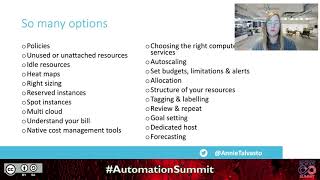 33mKubernetes cost optimization - How to actually do it
 14mCut Costs, Not Performance: Implement Kubernetes Cost Optimization Strategies
 33mUncover Kubernetes cost-optimization trends
 34mKubernetes: Reducing Infrastructure cost and complexity
 36mOptimizing Resource Usage in Kubernetes
 39mOptimizing Resource Usage in Kubernetes
 39mArchitect Using KEDA, Helm, Virtual-Kubelet to Save Cost
 31mHow to Save Millions of Dollars Using Kubernetes in Production